Setting up DHCPD on master PI
This tutorial how to setup DHCPD and NAT so that the slave PI can access the internet through the NAT (ETH0->WLAN0) running on Master PI. This tutorial also describe how to setup the DHCPD to automatically allocated IPs to PI or PCs.
Key Aspects
- Setup /etc/dhcp/dhcpd.conf.
- Setup /etc/default/isc-dhcp-server
- Setup /etc/systcl.conf
Deploy
DHCP server
We want to install a DHCP server so that the additional PI obtain a IP address in the 192.168.2.1 when connected through the switch.
sudo apt-get install isc-dhcp-server
Check the setup of the dhcp server
diff /etc/default/isc-dhcp-server /home/pirate/proj/kubedge/kube-rpi/config/cluster1/hypriotos/kubemaster-pi/etc/default/isc-dhcp-server
vi /etc/default/isc-dhcp-server
Update the dhcpd.conf. Comment out the fix allocation at first until you have access to the eth0 mac address.
diff /etc/dhcp/dhcpd.conf /home/pirate/proj/kubedge/kube-rpi/config/cluster1/hypriotos/kubemaster-pi/etc/dhcp/dhcpd.conf
vi /etc/dhcp/dhcpd.conf
sudo service isc-dhcp-server restart
sudo service isc-dhcp-server status
Network Address Translation
Check the ipforwarding setup
diff /etc/sysctl.conf /home/pirate/proj/kubedge/kube-rpi/config/cluster1/hypriotos/kubemaster-pi/etc/sysctl.conf
vi /etc/sysctl.conf
The Master PI acts as a router from eth0 to wlan0 for the other nodes.
sudo sh -c "echo 1 > /proc/sys/net/ipv4/ip_forward"
sudo iptables -t nat -A POSTROUTING -o wlan0 -j MASQUERADE
sudo iptables -A FORWARD -i wlan0 -o eth0 -m state --state RELATED,ESTABLISHED -j ACCEPT
sudo iptables -A FORWARD -i eth0 -o wlan0 -j ACCEPT
sudo sh -c "iptables-save > /etc/iptables.ipv4.nat"
You can go an uncomment the iptable in the eth0
vi /etc/network/interfaces.d/eth0
Reference Files
Verification
Plug your laptop onto the switch using an ethernet cable. If the master PI is configured properly (dhcpd, network/eth0..), the master PI will acts as a router. It will provide the laptop with an IP address in the 192.168.2.0/255 range.
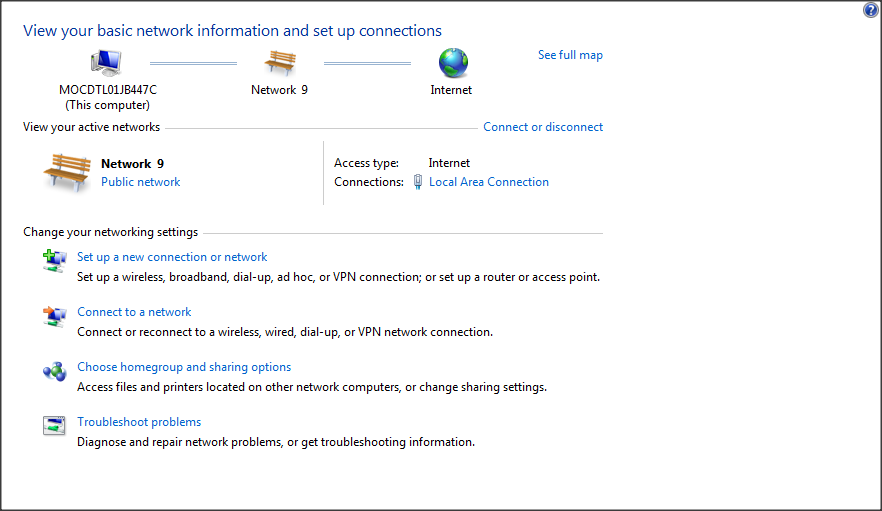
SSH to the node.
ssh 192.168.2.1 -l pirate
On your PC itself, open a command prompt or cygwin
ipconfig /all
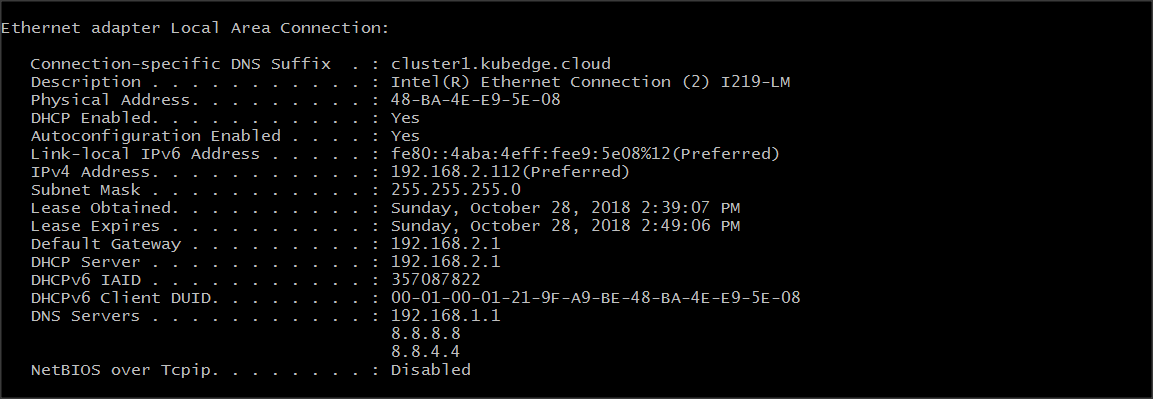
If the previous test is successful, the Name Server list should contain the IP and your home router, and you should be able to surf the internet.